Wednesday, February 13, 2008

LivingRoad Software Released as FREEWARE!


LivingRoad Software has just announced that 2 of their software are now Freeware. The 2 software are:

  • Batch Image Processing Freeware
  • Website Downloading Freeware, Raven

Website to download - http://www.livingroad.com/index.php?/content/blogcategory/11/15/

For Batch Image Processing Freeware, the main feature is:

LivingImage is a freeware image file processor. It allows you to process large numbers of images on your computer very quickly, so you don't have to manually change every image.
With many options for image processing you can save hours of working in converting images for email, internet, or countless other uses.

For Website Downloading Freeware, Raven, the main feature is:

Raven is a web site file downloading application. Based on a url, it will spider that web site and download all the files it finds.
First you set a URL and Raven will spider that URL and its links, up to 10 pages deep, looking for files to download. Once it has found the available files, you can download them to a directory of your choice and go directly to them in Windows Explorer. Raven makes downloading images, wallpaper, zip files, or any type of files simple!

Sunday, February 10, 2008

Save Sick PC with UBCD4Win

UBCD4Win is a bootable recovery CD that contains software used for repairing, restoring, or diagnosing almost any computer problem.

UBCD4Win is based on Bart's PE©. Bart's PE© builds a Windows® "pre-install" environment CD, basically a simple Windows® XP booted from CD. UBCD4Win includes network support and allows you the ability to modify NTFS volumes, recover deleted files, create new NTFS volumes, scan hard drives for viruses, etc.

UBCD4Win download includes almost everything you need to repair your system problems. This project has been put together to be the ultimate recovery cd and not a replacement OS (Operating System). Please visit the "List of Tools" page for a complete list of what is included in the latest version of UBCD4Win.

Website to download - http://www.ubcd4win.com/index.htm


Saturday, February 9, 2008

Top Freeware - Your Personal Magazine Cover using U.R. Celeb 2.011


It’s your dream come true!!!

Your face on Time magazine’s cover with the caption: “Person of the Year.” Or do you prefer to be on the cover of People’s: “Sexiest Man Alive”issue? Not at all and you don’t have to spend $20 at the local amusement park to fake your 15 minutes of fame.

U.R. Celeb will allow you to put any supported image of yourself, a loved one, or a not-so-loved-one on one of several popular magazine covers in less than 15 minutes.
You can edit the captions, their colors, and add other “mini” images with their own captions (i.e., to indicate other stories inside the issue).

When you’re done designing your custom magazine cover, you can save it to your hard drive, print, or e-mail it to friends and family.

Website to download - http://urceleb.oniton.com/

Monday, November 26, 2007

Autodesk Maya 2008 Unlimited Full DVD ISO


Autodesk Maya 2008 Unlimited Full DVD ISOMaya® Complete integrates the world’s foremost modeling, animation, visual effects, and advancedrendering technologies into one complete workflow solution. That’s why film and video artists,game developers, visualization professionals, Web and print designers and —3D enthusiasts everywhere—turn to Maya to take their work to the next level.

Adobe Photoshop CS3 10.0.1 Update


Adobe Photoshop introduces the next generation of image editing with powerful new features that offer something for every user. Delivering the broadest and most productive toolset available, Photoshop helps you explore your creativity, work at peak efficiency, and achieve the highest quality results across all media.


Download:
http://rapidshare.com/files/72359918/ps1001.zip


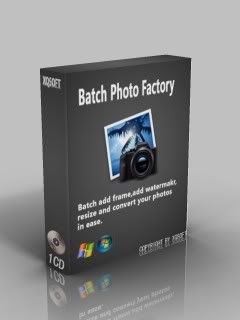
Batch Photo Factory v2.06


With Batch Photo Factory, you can process your photos easily and quickly. First, you should select the photos you want to process and set one or all the process options you want. For instance, if you want to add watermark to your photos, click the "Watermarks" tab to add a text watermark or image watermark. Click the "Process Photos " button, all of the photos you select will be merged with the watermark. If you want to batch add frames or watermarks, convert,resize and rename your photos, set their options, the photos will be processed according to all the options you set.FeaturesBatch add frame to your photos.Batch add watermarks to your photos.Convert a great number of your photos to the same formats.Resize your photos in batches.Save your photos to JPG,BMP,GIF,PNG,TIF formats.Process JPG,BMP,GIF,PNG,TIF,EMF,WMF.Make your own frame.Make your own image watermark or text watermark.100 frame template included.
3.3 Mb
or
rar pass: www.webturkiyeportal.com